They Asked Us To Build A Booking Platform.
We Ended Up Automating How A Driving School Operates.
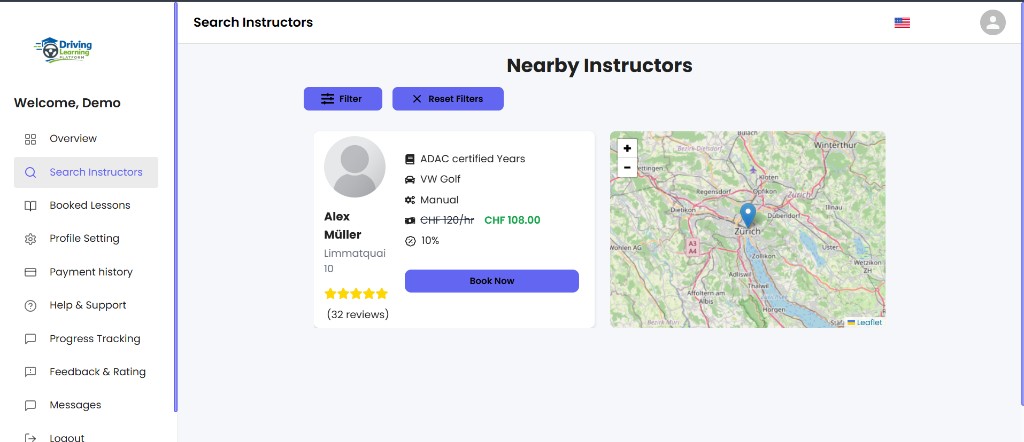
Build a platform where students could find instructors.



6
Core modules
3
Integrations
3
Role portals
Project Snapshot
- Industry
- Driving Schools
- Platform
- Multi-Sided Marketplace & Operations Platform
- Focus
- Booking Lifecycle & Business Process Automation
- Integrations
- Stripe · GraphQL · Email Notifications
- Core Modules
- • Student Portal• Instructor Portal• Booking Management• Payments• Analytics• Admin Dashboard
The brief
The original request sounded straightforward.
Build a platform where students could find instructors.
Book lessons. Pay online. Track their progress.
Simple.
But once we started mapping how a driving school actually operates, we realized booking a lesson was only a tiny part of the business.
The difficult part was everything that happened before and after the booking.
A Lesson Isn't Just A Booking
A student books a lesson in under a minute.
Behind the scenes, an entire operational workflow begins.
Instructor availability
Payment deadlines
Reminder emails
Reschedules
Refunds
Lesson completion
Instructor payouts
Progress tracking
What We Discovered
One missed step can create confusion for students, instructors, and administrators alike.
The client didn't need another booking website.
They needed one platform that could coordinate the entire lesson lifecycle.
Engineering Note
Every lesson follows a shared lifecycle, ensuring students, instructors, and administrators always see the same booking status regardless of which dashboard they're using.
Booking a lesson was only a tiny part of the business. The difficult part was everything before and after.
Booking A Lesson Shouldn't Create Administrative Work
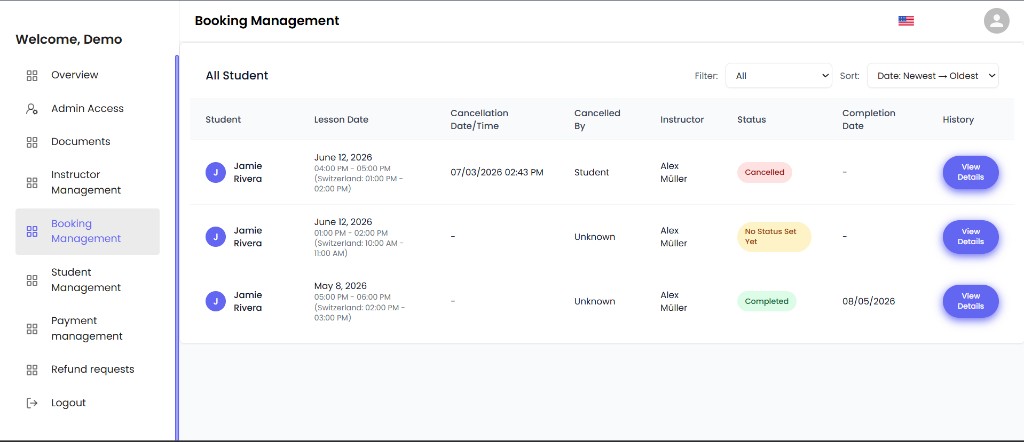
Booking lifecycle
Booking management dashboard tracking lesson lifecycle from scheduling through completion and cancellation.
Engineering Note
We implemented automated T-48 payment enforcement, reminder sequences, payment deadlines, abandoned booking handling, and lifecycle-based status transitions that work together instead of as isolated features.
Most scheduling platforms stop after payment succeeds. Driving schools don't.
Students forget to pay. Lessons get rescheduled. Bookings expire. Refunds happen.
Payments sometimes happen directly inside Stripe instead of the platform.
Every one of these situations normally creates manual work for staff.
So we automated the entire booking lifecycle.
Bookings progress automatically through payment reminders, cancellation deadlines, completion, refunds, and payout tracking.
Instead of constantly managing bookings, staff simply oversee the workflow.
Stripe Was Never Just A Payment Gateway
One of the biggest operational challenges appeared after launch.
Administrators occasionally processed refunds and payouts directly inside Stripe.
The platform had no idea those transactions existed.
Stripe showed one thing. The platform showed another.
That meant finance teams had to manually reconcile both systems.
Instead of asking administrators to only use our platform, we made the platform adapt to reality.
Whenever refunds or payouts happen inside Stripe, the platform records them automatically and updates every dashboard in real time.
Everyone sees the same financial picture.
Interesting Challenge
We built custom Stripe webhook handling that synchronizes manual refunds, payouts, and transfer reversals performed directly inside Stripe, keeping financial records synchronized without manual reconciliation.
Three Dashboards Needed To Feel Like One Platform
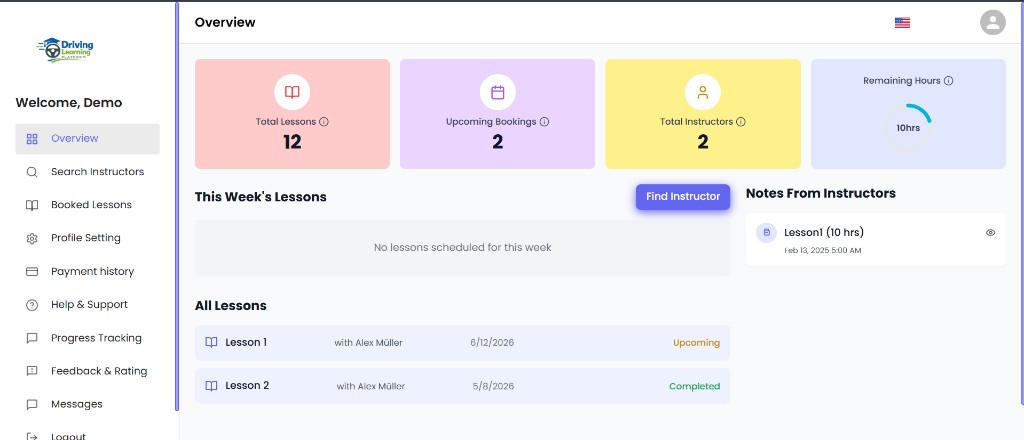
Students. Instructors. Administrators.
Each role manages different parts of the business.
But one booking should never tell three different stories.
Early in development, we noticed inconsistencies.
The same lesson could appear differently depending on which dashboard you opened.
That quickly became confusing.
So instead of fixing screens individually, we standardized the entire booking language.
The same status. The same colours. The same lifecycle. The same actions. Everywhere.
Engineering Note
Status rules, badge colours, lifecycle transitions, and booking classifications are driven by shared business logic instead of individual dashboard implementations.
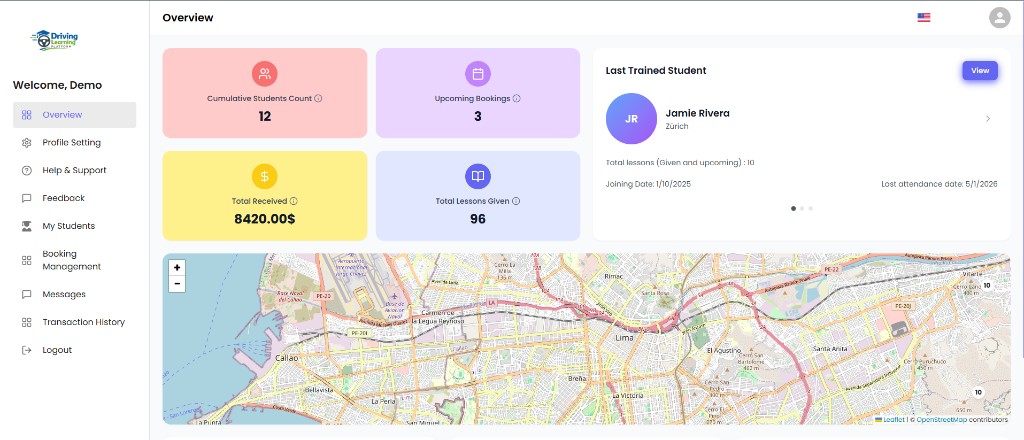
Instructor portal with student metrics, booking management, and shared lesson lifecycle visibility.
Rescheduling Became Its Own Workflow
Originally, moving a lesson meant cancelling it and creating another booking.
It worked. But it created unnecessary refunds, duplicated bookings, and confused users.
So we treated rescheduling as its own business process.
Students simply choose another available slot.
The system validates instructor availability, checks for scheduling conflicts, and transfers the booking safely.
The original lesson remains part of the booking history.
The experience feels simple because the complexity happens behind the scenes.
Engineering Note
Rescheduling uses transactional updates with availability validation, overlap detection, and rollback protection so bookings never end up in a partially updated state.
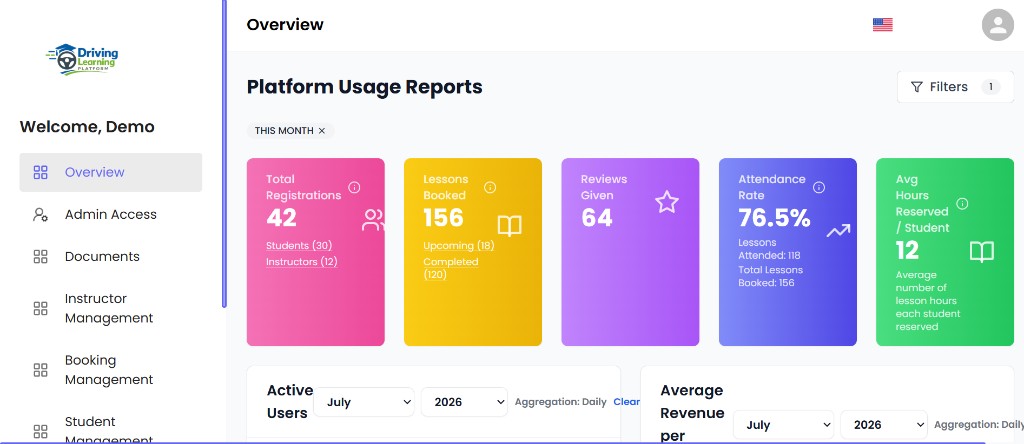
Analytics Needed To Answer Business Questions
The client didn't just want charts. They wanted answers.
Which instructors are busiest? Where are bookings being abandoned?
How much revenue is generated this month? How do today's numbers compare with last quarter?
Instead of building one static dashboard, we created analytics that can be explored independently.
Each graph has its own filters.
Changing one report doesn't affect another.
Administrators can investigate trends without constantly resetting the dashboard.
One Implementation Detail
Every analytics widget maintains its own filter state, allowing administrators to compare different time periods across multiple charts simultaneously without affecting neighboring reports.
The Outcome
Students book lessons with confidence.
Instructors manage their schedules from one place.
Payments stay synchronized with Stripe.
Reschedules happen without manual work.
Administrators gain clear operational visibility across bookings, finances, and instructor activity.
What started as a lesson booking platform became a complete operations system for driving schools.
Instead of simply helping students book lessons, the platform automates everything required to keep a modern driving school running smoothly.
Explore The Demo
Experience the platform from the perspectives of Students, Instructors, and Administrators, and see how bookings, payments, scheduling, analytics, and business operations work together inside one connected driving school platform.