They Asked Us To Build Maintenance Software.
We Ended Up Automating Compliance.
Build a platform where dental practices could keep track of their equipment.




5
Core modules
4
Integrations
1
Connected platform
Project Snapshot
- Industry
- Dental Healthcare
- Platform
- Multi-Tenant SaaS
- Focus
- Compliance & Business Process Automation
- Integrations
- Stripe · Twilio · SendGrid · Supabase
- Core Modules
- • Equipment Management• Maintenance Scheduling• Compliance Dashboard• Billing• Admin Portal
The brief
The original request sounded simple.
Build a platform where dental practices could keep track of their equipment.
Register equipment. Schedule maintenance. Mark tasks complete.
But after mapping how dental offices actually maintain compliance, we realized equipment wasn't what they were struggling with.
Keeping maintenance consistent across months, locations, staff members, and inspections was.
The Equipment Was Never The Problem
Every dental office already knew what equipment they owned.
The difficult part was making sure nothing was forgotten.
Daily checks
Weekly cleaning
Monthly maintenance
Annual inspections
Compliance documents
Staff responsibilities
What We Discovered
As the number of operatories and equipment grew, spreadsheets and paper checklists stopped working.
The platform didn't need to organize equipment.
It needed to organize everything that happens around the equipment.
Engineering Note
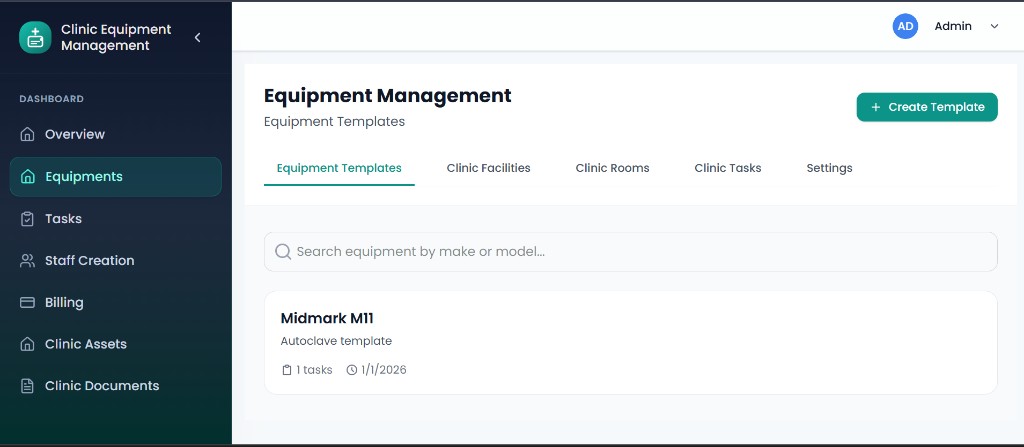
Every piece of equipment supports recurring maintenance schedules, assigned staff, configurable frequencies, compliance history, and supporting documentation instead of acting as a simple inventory record.
The platform didn't need to organize equipment. It needed to organize everything around it.
Compliance Doesn't Fail Overnight
One missed task usually isn't a problem.
The problem is when small missed tasks accumulate over weeks or months without anyone noticing.
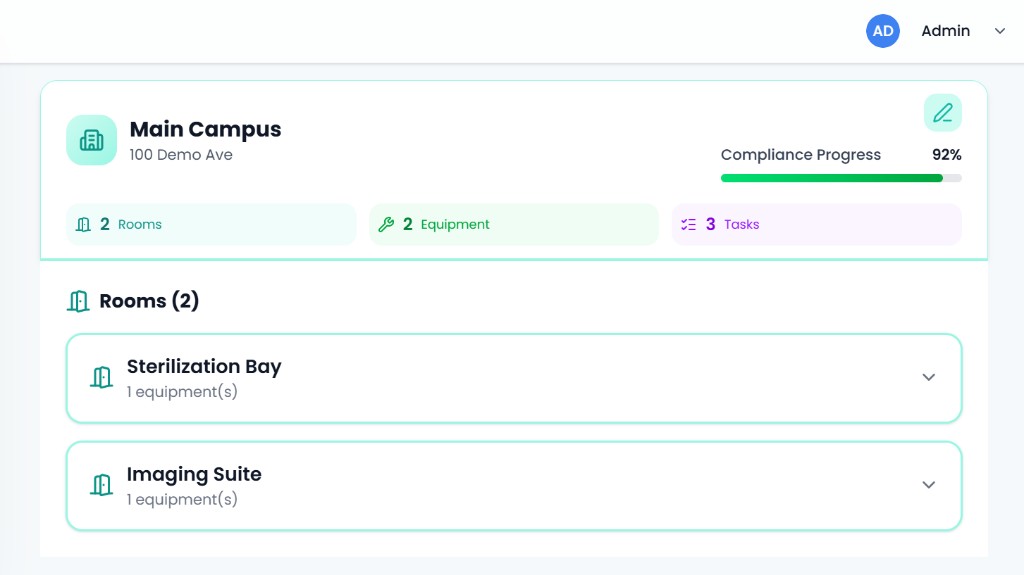
Instead of only showing completed and overdue tasks, we designed the platform to continuously measure compliance.
Managers can immediately identify areas that require attention before they become inspection issues.
Design Decision
The compliance dashboard combines weighted scoring, historical trends, and risk alerts rather than treating every maintenance task equally.
Scheduling Needed To Think Months Ahead
Maintenance cycles
Maintenance calendar and scheduling engine generating future tasks across multiple equipment cycles.
Engineering Note
Building recurring schedules wasn't just about repetition. The system had to support daily, weekly, monthly, quarterly, and annual maintenance cycles while remaining flexible enough for real-world rescheduling.
Recurring maintenance sounds simple until different equipment follows different maintenance cycles.
Some equipment requires daily checks. Others every quarter. Others once a year.
Manually keeping track of every schedule quickly becomes impossible.
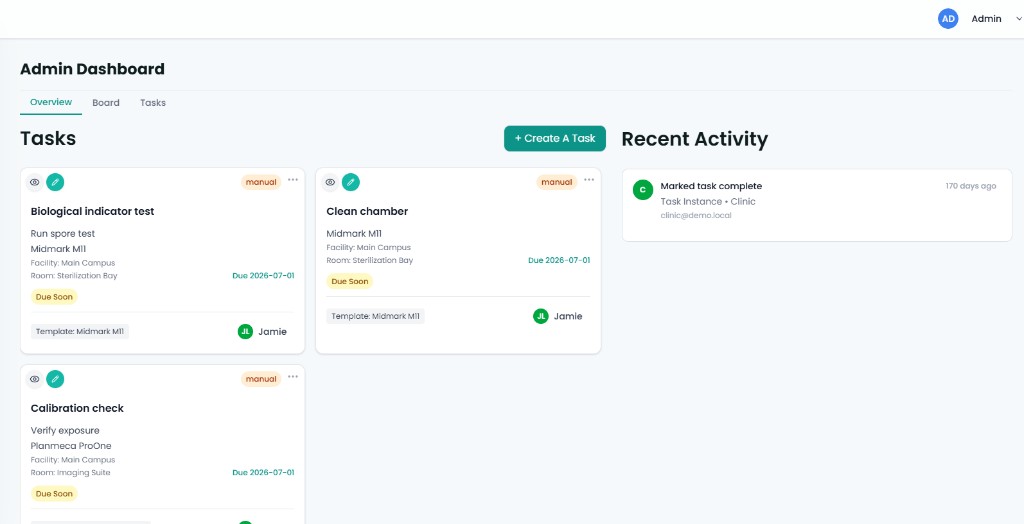
So we built a scheduling engine that automatically creates future maintenance tasks while allowing offices to make manual adjustments whenever needed.
- Daily
- Weekly
- Monthly
- Quarterly
- Annual
Documentation Matters Just As Much As The Maintenance
Photos
Certificates
Maintenance records
Inspection documents
Completing maintenance isn't enough. Practices also need evidence.
Everything has to be available when an audit happens.
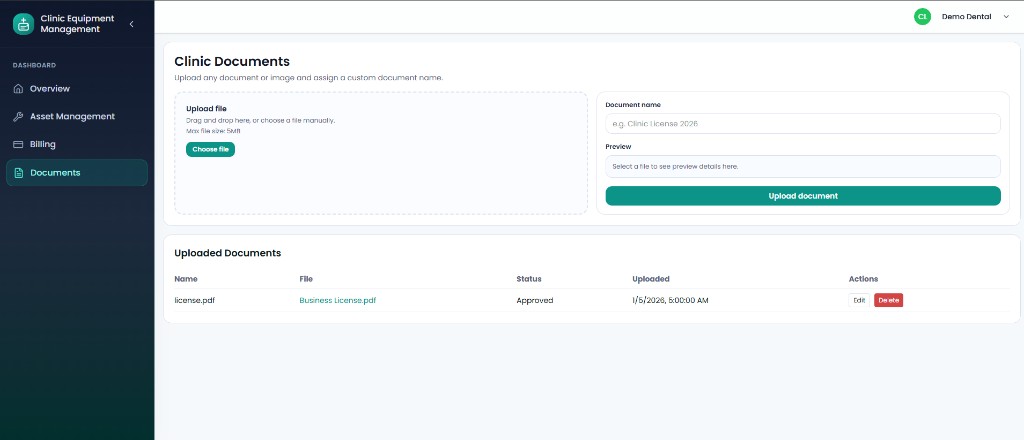
Instead of storing files in disconnected folders, documentation became part of every maintenance workflow.
Engineering Note
File uploads support versioning, searchable metadata, and audit history so practices can always identify who uploaded a document, when it changed, and which maintenance task it belongs to.
Billing Needed To Fit A SaaS Business
As the platform evolved, subscription management became another workflow to automate.
Practices needed to manage plans, payments, and invoices. Administrators needed visibility into every subscription without manually checking Stripe.
Instead of treating billing as a separate tool, we integrated it directly into both the Office Dashboard and the PDE Admin Portal.
Choose plans
Upgrade and downgrade
Update payment methods
Download invoices
Subscription visibility for admins
Interesting Challenge
Subscription upgrades, downgrades, and billing cycle changes were implemented using Stripe's proration system so customers are only charged for the portion of the service they actually use.
More Than An Equipment Tracker
As development continued, the platform evolved into a complete operational system.
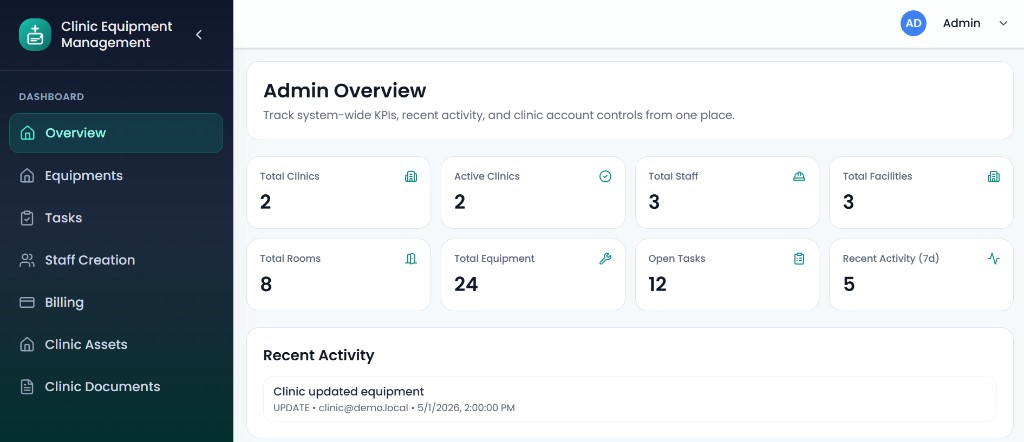
Office administrators can register facilities, manage schedules, assign staff, review compliance health, generate audit-ready reports, and manage subscriptions.
Staff members complete assigned tasks, upload compliance evidence, receive reminders, and track maintenance responsibilities.
Platform administrators oversee offices, templates, billing, and system-wide settings from one centralized dashboard.
Platform modules
Equipment Management
Maintenance Scheduling
Compliance Dashboard
Staff Task Assignment
Document Management
Subscription Billing
Multi-Tenant Admin Portal
Engineering Note
The platform was designed as a multi-tenant SaaS with role-based access, magic-link authentication, immutable audit logs, and centralized administration from the beginning.
Office dashboard and PDE admin portal connecting equipment, maintenance, compliance, and billing.
The Outcome
Maintenance schedules run automatically.
Staff know exactly what needs attention.
Compliance documentation stays organized.
Audit reports are always available.
Subscription management happens without manual administration.
What started as an equipment management platform became a compliance automation system.
Instead of helping dental practices remember maintenance, the platform automates the operational processes that keep them compliant.
Explore The Demo
Experience the platform from both the office administrator and staff perspectives, and see how equipment, maintenance, compliance, reporting, and billing work together inside one connected SaaS platform.